
Why Static Dashboards Slow Down Daily Work
Finance teams need visibility into expense categories and open invoices. Operations managers track product groups and costing methods. Purchasing staff monitor frequently ordered items. Each role depends on different data, yet most ERP systems present the same static dashboard to everyone.
When teams cannot see their priority information at a glance, they spend time navigating menus, opening reports, and switching screens. Dynamic dashboard widgets address this by delivering role-specific, real-time data directly to the user’s workspace.
Onfinity ERP allows organizations to build widgets that automatically update based on live data from connected screens. Users see only what matters to their role, whether that means product category counts, pending orders, or the top ten most-accessed records.
How Widgets Display Real-Time Information Without Manual Refresh
Each widget in Onfinity ERP pulls data from a specific screen or module. When a user opens their homepage or a screen-level landing page, the widget reflects current record counts, status indicators, and transaction summaries.
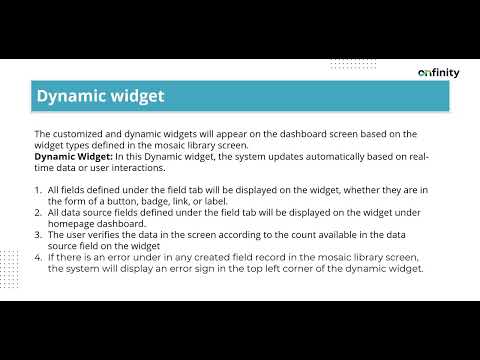
Widgets support four field types. Badges display numeric counts without triggering actions. Buttons execute predefined commands or navigate to a related screen. Labels show static text or descriptions. Links redirect users to filtered views or detailed records.
Administrators configure which fields appear on each widget, set display sequences, and apply custom styling. If a field contains an error—such as an incomplete SQL query or missing parameter—an icon appears on the widget, alerting the administrator before users encounter issues.
This structure ensures that widgets remain accurate and actionable. Teams see live data, not cached snapshots, and can click through to the underlying records without manual searching.
Tailoring Dashboards to Homepages and Screen-Level Landing Pages
Widgets can appear on the global homepage or on landing pages tied to individual screens like Product Category, Sales Orders, or Inventory Management. This flexibility allows users to see broader KPIs when they log in, then switch to module-specific widgets as they move through their tasks.
On a screen-level landing page, widgets display data relevant only to that module. A Product Category landing page might show widgets for product groups, costing methods, or top-used items. Users interact with these widgets the same way they would on the homepage, but the information is narrower and more contextual.
Data source fields enhance this by listing the most frequently accessed records. For example, a widget might display the top ten product types based on recent activity. Clicking a record count redirects the user to a filtered view of those items, eliminating the need to manually apply search criteria.
Each user can drag and drop widgets to personalize their layout. This self-service approach reduces IT dependency and improves adoption, since individuals control which data appears in their workspace.
Applying Advanced Filters Directly from Widgets
Widgets in Onfinity ERP support advanced search filters that adjust based on user-defined criteria. Instead of opening a screen, applying filters, and then reviewing results, users see saved filters as clickable options directly on the widget.
For instance, a finance team might create a filter for expenses by product group. Once saved and enabled, the widget displays a record count next to that filter name. Clicking the count opens the filtered data view immediately.
Filters can include date ranges, customer names, order statuses, costing methods, or any field available on the connected screen. Each filter operates independently, and users can switch between them without re-entering search parameters.
This capability is available only on screen-specific landing pages, not on the homepage. This design keeps the homepage clean while giving users powerful filtering tools within their active workflows.
Administrators define which filters appear on which widgets by marking them as visible on the landing page. This prevents clutter and ensures users see only the filters relevant to their daily tasks.
How Teams Use Widgets to Speed Up Routine Tasks
A finance manager might use ERP dashboard customization to track open invoices by customer or vendor. Instead of running a report each morning, the manager sees updated counts on the dashboard and clicks through to review details.
Operations teams configure widgets to monitor product categories by costing method. When a specific method shows unexpected volume, the team can drill into those records with one click, reviewing transactions without manual filtering.
Purchasing staff rely on widgets that display the most-used suppliers or products. When creating a new order, they reference this list to speed up item selection, reducing the time spent searching through catalogs.
Customer service representatives filter orders by status or customer name directly from the widget. This eliminates the need to navigate menus or open multiple screens when responding to inquiries.
Executives access high-level KPIs on the homepage, then switch to module-specific landing pages when they need detail. The combination of global and contextual widgets supports both oversight and operational involvement.
Choosing an ERP That Supports User-Driven Configuration
Onfinity ERP enables business users to configure real-time data widgets without developer intervention. Administrators define field types, set sequences, apply styling, and bind widgets to specific screens through a standard interface.
Error detection alerts administrators when a field contains incomplete parameters or syntax issues. Visual feedback helps maintain widget integrity without requiring manual testing after each change.
Role-based access controls determine which widgets appear for each user. This reduces screen clutter and ensures teams see only the data they need, improving system adoption across departments.
Because widgets pull from live data sources, updates occur automatically. When a user adds a product, closes an invoice, or changes an order status, the relevant widget reflects that change immediately.
This unified approach keeps dashboards, workflows, and data sources connected. Users trust the information they see because it mirrors the current state of the system, not a static report generated hours earlier.
See Dashboard Widgets in Action
If your team navigates multiple screens to access routine data, explore how Onfinity ERP brings critical information to the surface with configurable, real-time widgets.
Schedule a demo to see personalized dashboards, advanced filters, and screen-level landing pages in action.
Follow us on LinkedIn for more insights into flexible ERP design and user-driven configuration.