
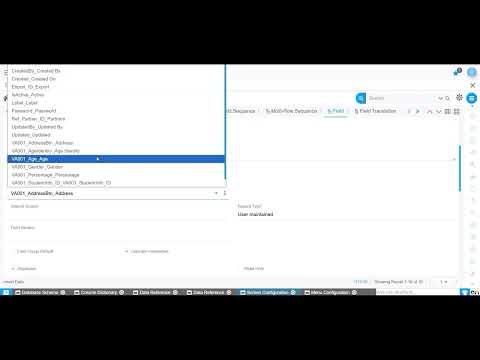
Many finance teams assume check payments are outdated, but the reality is different. Vendor contracts, regulatory requirements, and business relationships still demand physical checks. The challenge isn’t the payment method itself—it’s the lack of integration between voucher creation, check printing in ERP systems, and ledger updates. When these steps live in disconnected systems or spreadsheets, reconciliation becomes slow and error-prone.
Onfinity ERP eliminates these gaps by managing the entire check payment process within a single platform. From voucher approval to check issuance and bank reconciliation, every transaction stays connected to your accounting records.
Why Check Payment Processing Still Matters in Modern ERP
Physical checks remain a necessary payment method for many organizations. Certain vendors prefer checks, some industries require them for audit purposes, and cross-border transactions often involve check-based payments. The problem arises when finance teams manage check workflows outside their core accounting system.
Manual tracking creates reconciliation challenges. When check numbers, payment dates, and vendor records live in separate tools, discrepancies emerge during month-end close. Onfinity ERP addresses this by tying every check payment to a voucher, a vendor account, and a general ledger entry. This connection ensures that payment status is always visible and accurate.
A structured workflow also reduces the risk of duplicate payments or lost check records. When vouchers and checks are managed in the same system, finance teams can verify payment history without searching through external logs or emails.
Creating and Managing Payment Vouchers in Onfinity ERP
The check payment process begins with creating a payment voucher. In Onfinity, vouchers are linked directly to vendor accounts, ensuring that payment details are tied to the correct supplier from the start. Users specify the payment mode—check or bank transfer—along with the amount, payment date, and reference information.
This centralized approach reduces data entry errors. Instead of recording payment information in multiple places, the voucher becomes the single source of truth. Finance managers can review and approve vouchers before payment execution, adding a layer of control that prevents unauthorized or incorrect payments.
Voucher management also simplifies audit trails. Every payment has a documented approval history, which is helpful during internal reviews or external audits. The system captures who created the voucher, who approved it, and when the payment was processed.
Processing Check Payments: From Voucher to Print
Once a voucher is approved, the check payment process moves forward within Onfinity. Users can print checks directly from the system using predefined formats that match their bank’s requirements. The system assigns a check number and links it to the corresponding voucher and vendor record.
This integration removes the need for external spreadsheets. Check numbers, payment amounts, and vendor details are automatically recorded in the payment module. If a check needs to be voided or reissued, the system updates the status and maintains a clear record of the change.
The ERP payment voucher management process also supports batch printing. Finance teams processing multiple checks at once can queue payments and print them together, saving time during high-volume periods like month-end processing.
Because the system tracks every check, finance teams can quickly answer vendor inquiries about payment status. Instead of searching through files or bank statements, users can pull up the voucher and see whether the check was printed, cleared, or voided.
Tracking Payment Status and Bank Reconciliation
After checks are issued, Onfinity continues tracking their status. Payments are marked as printed, cleared, or voided, giving finance teams real-time visibility into outstanding checks. This visibility is critical during accounts payable check processing, especially when reconciling bank statements.
Every check payment automatically updates the general ledger. When a check is printed, the system records the outflow in the appropriate accounts. When the check clears, the bank reconciliation module matches the transaction to the bank feed, reducing manual matching work.
Finance teams can filter payment records by vendor, date, or payment mode. This filtering makes it easy to identify checks that haven’t cleared after a certain period, which may indicate delivery issues or vendor problems. Users can also generate payment reports that show check activity over a specific timeframe.
The connection between payment records and ledger entries ensures that financial statements reflect accurate cash positions. When checks are tracked in the same system that manages accounting, discrepancies between cash balances and bank statements become easier to identify and resolve.
What This Means for Your Accounts Payable Team
Managing check payments in a unified ERP system reduces manual effort. Accounts payable teams no longer need to maintain separate logs for check numbers, payment dates, and vendor confirmations. All of this information lives in Onfinity, accessible to anyone with the appropriate permissions.
Accuracy improves because the system enforces consistency. Vouchers must be linked to vendors, checks must be tied to vouchers, and ledger entries are generated automatically. This structure minimizes the risk of mismatched records or missing payments.
Month-end close becomes faster when payment status is visible in real time. Instead of waiting for bank statements to reconcile payments, finance teams can see which checks have cleared and which are still outstanding. This visibility helps close the books with greater confidence.
Vendor relationships also benefit from reliable payment processing. When vendors call to confirm payment status, accounts payable teams can provide immediate answers without digging through files. This responsiveness builds trust and reduces payment disputes.
See the Check Payment Workflow in Action
If your finance team is managing check payments across disconnected systems or spreadsheets, Onfinity brings the entire workflow into one platform. From voucher creation to bank reconciliation, every step is connected to your accounting records. Schedule a demo to see how Onfinity handles check processing, or follow us on LinkedIn for more practical ERP insights.