
Why Standard ERP Screens Limit Customer Data Flexibility
Most ERP systems provide predefined customer master screens with fixed layouts and limited customization. Finance and operations teams often need to view customer records grouped by payment terms, business partner categories, or region-specific filters. When the standard view doesn’t match how teams actually work, they resort to manual exports, custom reports, or navigating multiple screens to piece together the information they need.
This creates inefficiency. A finance manager reviewing customers by payment term shouldn’t have to run a separate report or scroll through unrelated records. Custom pages with data grid binding ERP capabilities allow businesses to surface exactly what matters: customer names, business partner groups, payment terms, and descriptions in a single consolidated view that matches operational requirements.
Building Custom Pages with Grid Views for Customer Records
Onfinity ERP allows teams to create custom pages where customer data is fetched directly from the database and displayed in sortable, selectable grids. These grids can show customer name, business partner group, payment terms, search keys, and other key fields side by side without switching screens or opening separate records.
Multi-select functionality gives teams the ability to manage multiple records at once. Column headers can be customized to display exactly the fields that matter for each workflow. This eliminates the need to navigate through multiple tabs or run separate queries just to see basic customer information grouped by criteria that align with how the business operates.
The grid pulls data using backend queries that execute when the page loads. As customer records are fetched, they populate the grid with current information sorted by most recent entries or any other sorting logic defined by the business. This real-time display ensures teams always work with accurate data without manual refreshes or outdated snapshots.
Adding Data Entry Controls for Direct Customer Creation
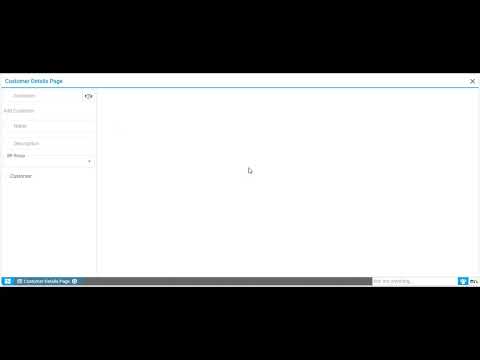
Custom pages can include text fields, dropdowns, and description boxes tailored to customer data entry workflows. Instead of navigating to a separate customer creation screen, teams can add new customers directly from the same page where they view the grid. A form section with fields for customer name, business partner group selection, and description sits alongside the grid view.
When a user enters customer details and clicks save, the page triggers backend logic that validates the input and writes the record directly into the customer master data management table. Mandatory fields like payment term, price list, and payment method are handled through default values or dropdown selections based on business rules. The save operation confirms the record was written successfully before refreshing the grid.
This approach eliminates fragmented workflows where customer creation happens in one place and viewing happens somewhere else. Finance teams managing customer onboarding can enter a new customer, assign a payment term, and immediately see the record appear in the grid without switching screens or logging the change separately.
Connecting Custom Pages to Backend Database Logic
The grid and data entry controls connect to backend controllers that execute SQL queries against the customer master table. When the page loads, the controller fetches records based on specified filters, such as active customers sorted by creation date. The query returns customer names, business partner groups, payment terms, and other fields that populate the grid rows.
When a user saves a new customer, the backend receives the name, business partner group, and description from the form. A model class handles the business logic, creating a new record in the customer master table with proper validation. Mandatory fields like payment term ID and price list are set based on defaults or selected values. The model class ensures data integrity by enforcing table relationships and required field constraints.
This architecture gives businesses control over how customer data flows from entry to storage to display. AJAX database integration ensures data moves between the UI and backend without full page reloads. The result is a responsive interface where customer information updates immediately after save operations, keeping teams working with current data at all times.
Refreshing Grids After Customer Data Changes
After saving a new customer, the grid automatically reloads with updated records. The refresh pulls the latest data from the database, ensuring the newly created customer appears at the top if sorted by most recent entries. This eliminates the need for users to manually refresh the page or navigate away and back to see their changes reflected.
Real-time grid refresh reduces errors from outdated views. A finance user adding a customer for a new account doesn’t have to wonder if the record saved correctly. The grid shows the new entry immediately, confirming the save operation worked and the data is available for other users who access the same page.
Custom pages can be extended with child dialogs for more complex customer management tasks, such as editing existing records or viewing detailed transaction history without leaving the main grid view. This keeps workflows consolidated and reduces the number of clicks required to complete common tasks.
When Custom Customer Pages Deliver Operational Value
Custom customer pages make sense for businesses with unique customer segmentation needs not met by standard ERP views. Companies that group customers by region, payment terms, or business partner categories often need consolidated views that surface these groupings without running separate reports or exporting data to spreadsheets.
Teams that frequently add new customers benefit from having data entry controls on the same page as the grid. This reduces the time spent switching between screens and ensures customer records are visible immediately after creation. Operations managers overseeing customer onboarding can monitor new entries and verify data accuracy without navigating multiple system areas.
Custom pages reduce dependency on IT for routine customization requests. As business requirements evolve, finance and operations teams can adjust which fields display in the grid or modify save logic without full system reconfigurations. This operational flexibility supports changing workflows without waiting for development cycles or external consultants.
See Custom Customer Pages in Action
If your team needs more flexible ways to view and manage customer data beyond rigid ERP screens, Onfinity ERP enables custom pages tailored to your workflows. Request a demo to see how grid views and data entry controls work together, or watch the full walkthrough showing how customer records are fetched, displayed, and saved in real time. Follow us on LinkedIn for more insights into practical ERP customization that matches how your business actually operates.