Onfinity ERP
Finance, operations and the factory floor. One system.
All of it on one data model: one set of masters, one chart of accounts, and every number tracing back to the transaction that made it. Sales, procurement and order-to-cash run on the same one.
Book a demo See what's insideThe transactional core
Six areas write to the ledger
This sets out what each area actually does, and shows the screen you would spend your day in. Everything else in Onfinity posts into these six.
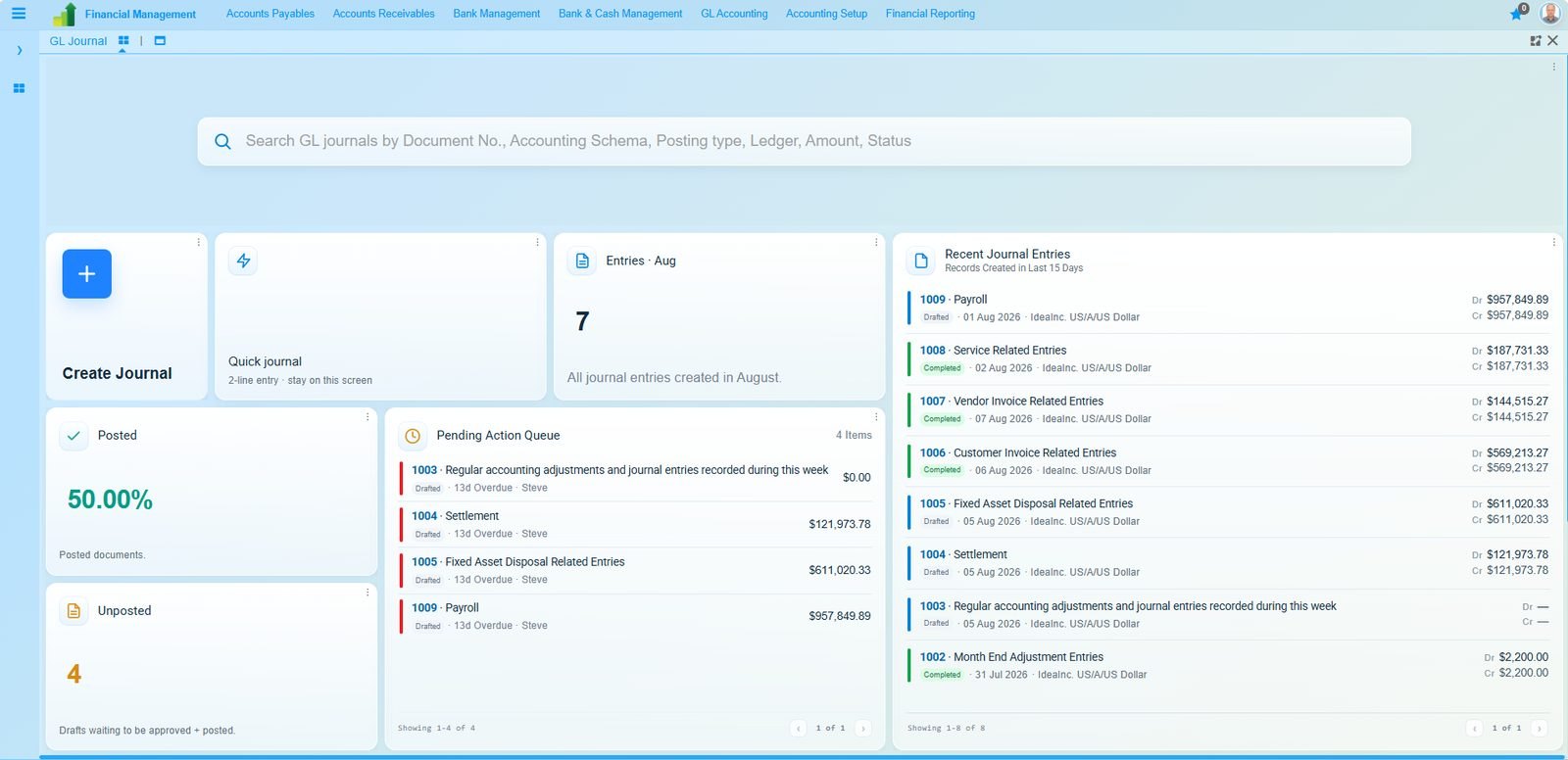
Financial management
This is a full general ledger with accounting schemas, not a bookkeeping layer over a sales system. It is multi-company, multi-currency and multi-book from the first posting.
- General ledger and journals
- Accounts payable
- Accounts receivable
- Bank and cash management
- Fixed assets and depreciation
- Accounting schemas per book
- Multi-currency revaluation
- Consolidation across subsidiaries
- Budgeting and commitments
- IFRS and GAAP reporting
- Statutory and tax reporting
- Period close and audit trail
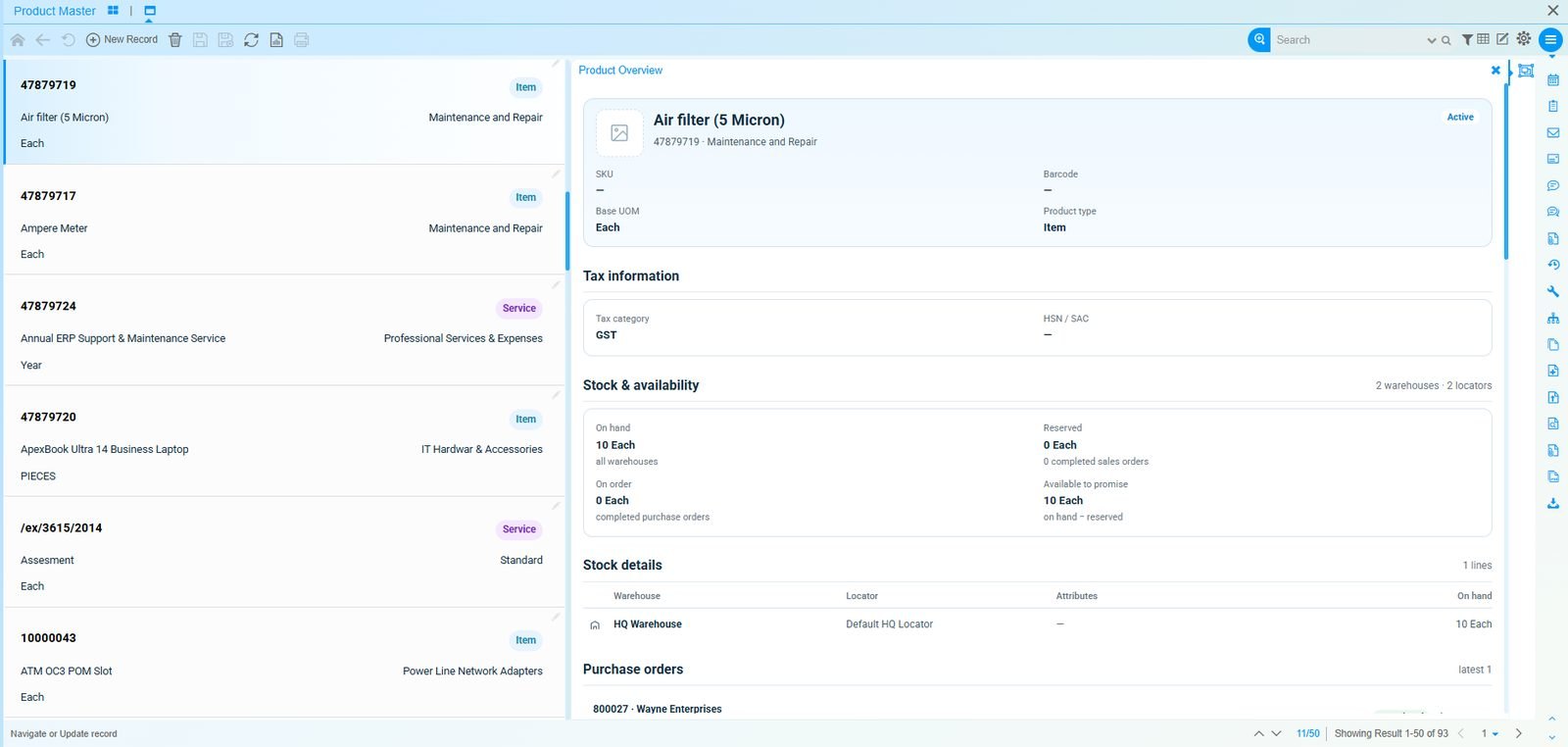
Supply chain and inventory
Available-to-promise is calculated from what is on hand, what is already reserved and what is confirmed inbound, so the date your sales team quotes is the date the warehouse can actually meet.
- Multi-warehouse and locators
- Lot and serial tracking
- Available-to-promise
- Replenishment and min/max
- Landed cost allocation
- Stock counts and adjustments
- Internal transfers
- Attribute sets and variants
- Costing: standard, average, FIFO
- Shipment and receipt confirmation
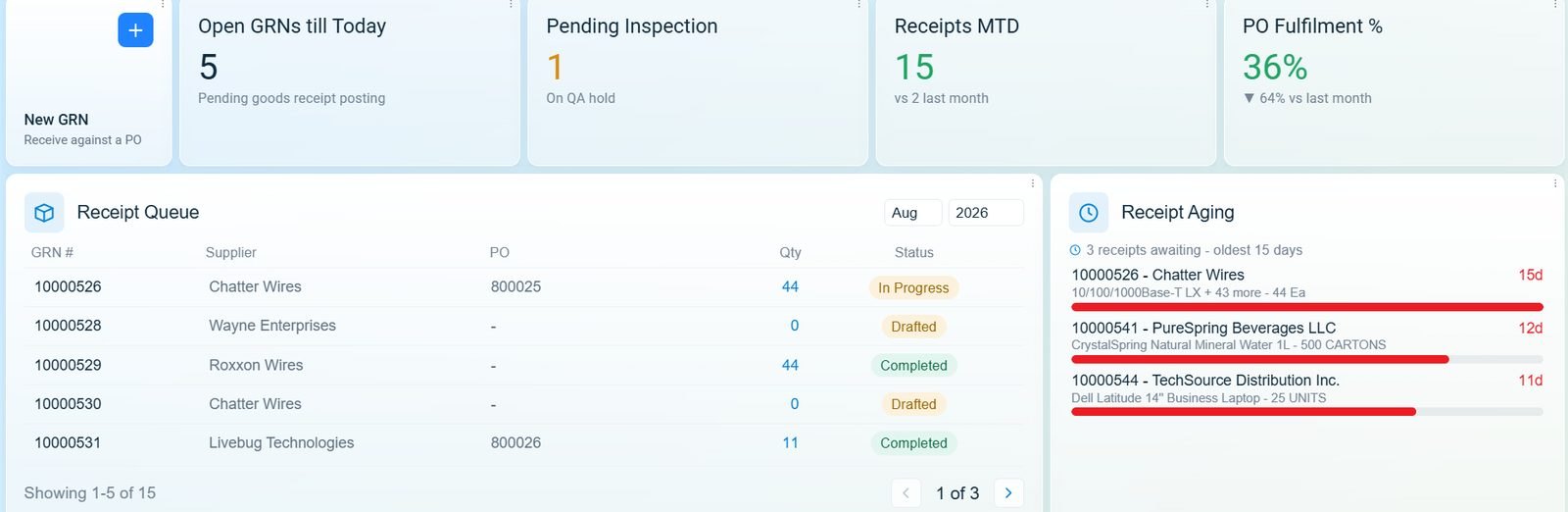
Procurement
Requisition to payment runs as one document chain. Three-way matching compares the order, the receipt and the invoice without anyone exporting a spreadsheet to do it.
- Requisition and approval routing
- Request for quotation
- Purchase orders and releases
- Goods receipt and returns
- Three-way matching
- Vendor master and terms
- Blanket and contract purchasing
- Receipt ageing and GRNI
- Vendor performance
- Multi-organisation buying
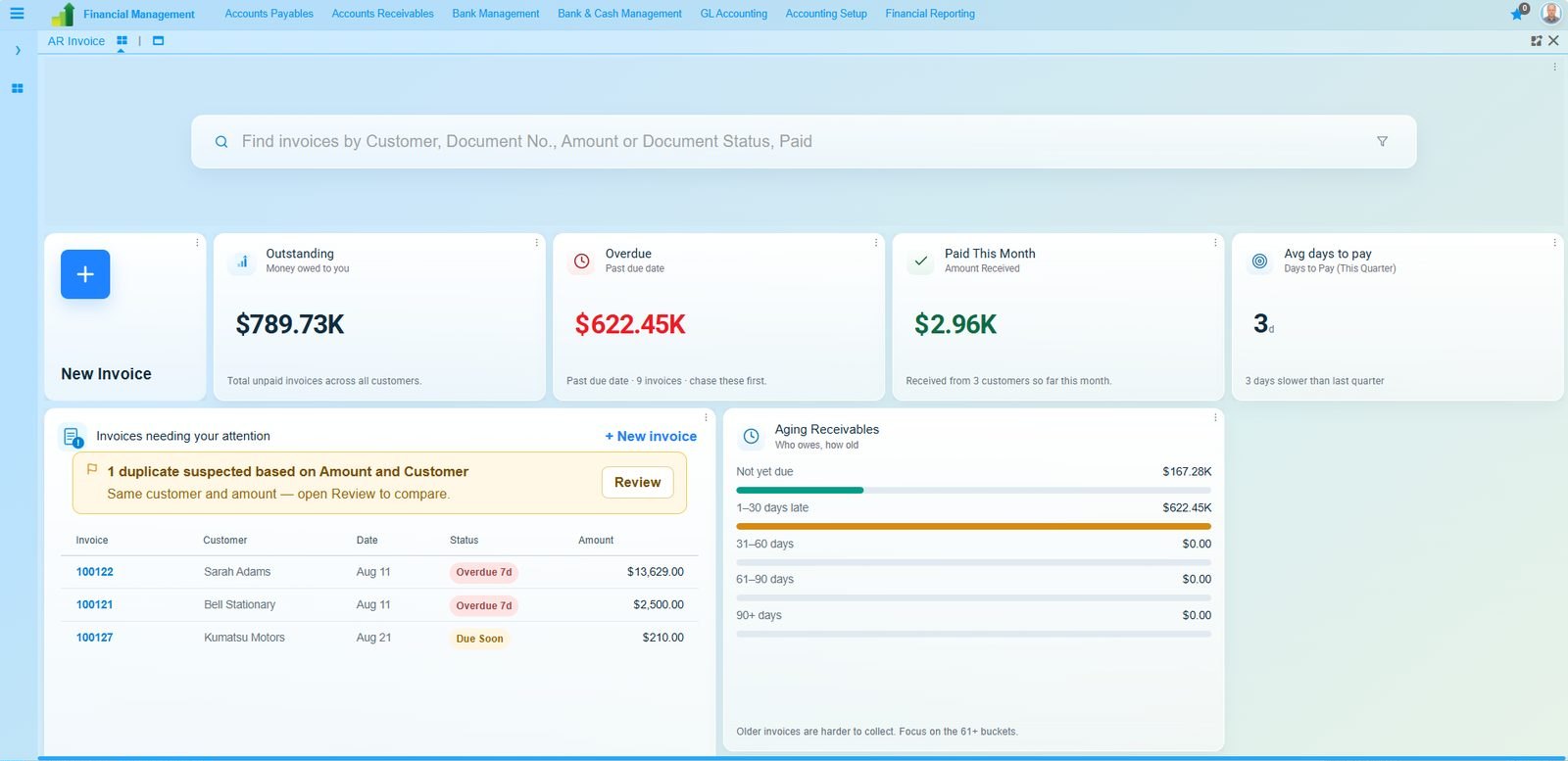
Order to cash
A single numbering chain runs from order to collection, so a question about an invoice leads straight back to the shipment and the order, with no lookup table in between.
- Sales orders and quotations
- Price lists and discount schemas
- Fulfilment and shipping
- Customer invoicing
- Credit limits and holds
- Collections and dunning
- Cash application
- Revenue recognition
- Commissions
- Returns and credit notes
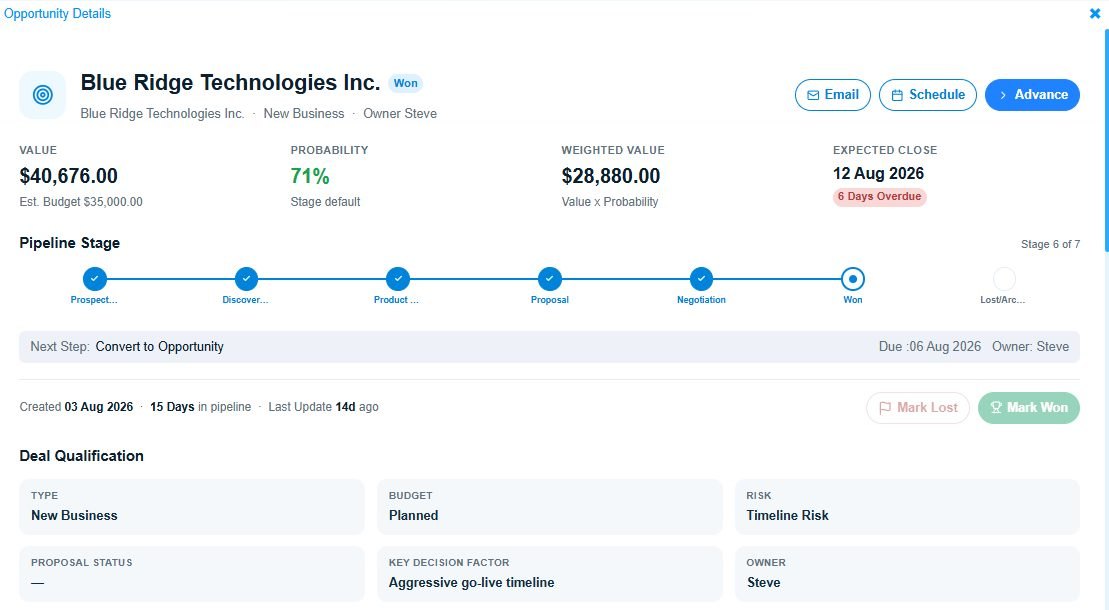
Sales and CRM
The customer record that the invoice posts against is the same record the salesperson works in. The CRM is part of the ERP, so the two are always in step.
- Leads and opportunities
- Pipeline and forecasting
- Quotations and contracts
- Activities, calls and email
- Campaigns
- Service requests and SLAs
- Customer portal
- Territory and team assignment
- Open sales orders
- Demand forecast
- Safety stock levels
- Reorder policy per item
- Production orders
- Purchase orders
- Consolidated per supplier
- Held for your approval
Manufacturing and MRP
Material requirements planning reads every source of demand in a single run rather than one at a time, then proposes what to make and what to buy. Every draft waits for your approval before it reaches the shop floor or a supplier.
- Bills of material, multi-level
- Routings and work centres
- Production orders
- Shop floor reporting
- MRP: regenerative and net change
- Lot-for-lot and consolidation
- Capacity and planning horizon
- Standard and actual costing
- Work-in-progress valuation
- Subcontracting
On the same ledger
Eight more modules post into the same ledger
A payroll run posts to the general ledger. A work order consumes the stock and books the labour. A project captures both. These are modules of one system sharing one set of masters, not separate applications bridged onto it.
Why the numbers agree
Enter it once, and it updates everything
A goods receipt moves the stock, accrues the liability, closes the purchase commitment and lands in the payables ageing. That is one transaction, entered once.
Separate applications reach the same answer after a nightly sync and a reconciliation somebody maintains. On one ledger it happens inside the transaction itself.
Getting it live
Adopt the standard, keep what makes you different
Most of what a company does runs well on standard process, and that is where the improvement comes from. What genuinely sets you apart — numbering, approval routes, the fields your industry needs, the documents that have to be worded a particular way — stays configuration here, held in the application dictionary rather than in code. AURA drafts it from documents you already use, and your team approves every entry before it applies.
Describe how the company works
Bring the chart of accounts, a purchase order, an invoice layout and the approval rules as they stand today.
Your team does this, using documents you already haveAURA drafts the configuration
Document types, numbering, approval routing, fields, validation and print formats are all configuration entries. AURA drafts them and shows you each one it proposes.
AURA does this, and shows you every change before it is appliedRehearse a real month
Post a month of your own transactions and reconcile them before anything goes live. The configuration that comes out of that month is the one you start on, running on the standard product.
Both teams do this together, on the standard productEvery change is a configuration entry that the next release still reads, so you stay on the standard product and your upgrades stay routine.
Before you shortlist
The questions that come after the feature list
Functionality is where an evaluation starts. These are what it usually turns on.
See it running on your own data
We will spend thirty minutes on your figures and your processes, and you can ask the questions you would ask in a real evaluation.
Book a demo See what it costs