Vendor Business Rules

VIENNA Business partner management allows managing the business partner in various terms. Business partner can be a vendor or customer or both. System updates the real time open balances of the business partner. Taxation can be handled based on the vendor or vendor locations.


Vendor

  • Define business partners: vendors, suppliers, customers
  • Suppliers can be customers at the same time and vice versa
  • Set vendor groups and consolidate vendors into groups
  • Define and set vendor credit status
  • Automatically calculate and display open balance
  • Set vendor's payment rule (Direct Debit, Credit Card, Letter of Credit, On Credit, Check, Direct Deposit)
  • Define, set and link purchase pricelists to the supplier
  • Set Purchase Order Discount Schemas
  • Define multiple vendor locations
  • Define accounting ledgers for automatic posting
  • Define and set payment terms without limitations. Use system’s predefined terms or add your own
  • Automate payments with payment schedules
  • Define and set return policy for your suppliers and customers
  • Define tax class and add suppliers and customers in this classes. In addition define and set VAT and other taxes using our Tax Management functionality
  • Define and set sales representative to each supplier and customer
  • Define multiple vendor contacts
  • Define rules for return
  • Customize your Vendor Master window by adding custom fields which are relevant to your industry / business or remove predefined fields.

Request for Quotation (RfQ)

Request for Quotation (RFQ) expedites the purchasing process by creating and submitting an RFQ to multiple prospective and existing suppliers, recording and tracking bids and ultimately initiating a Requisitionor Purchase Order from the winner supplier.
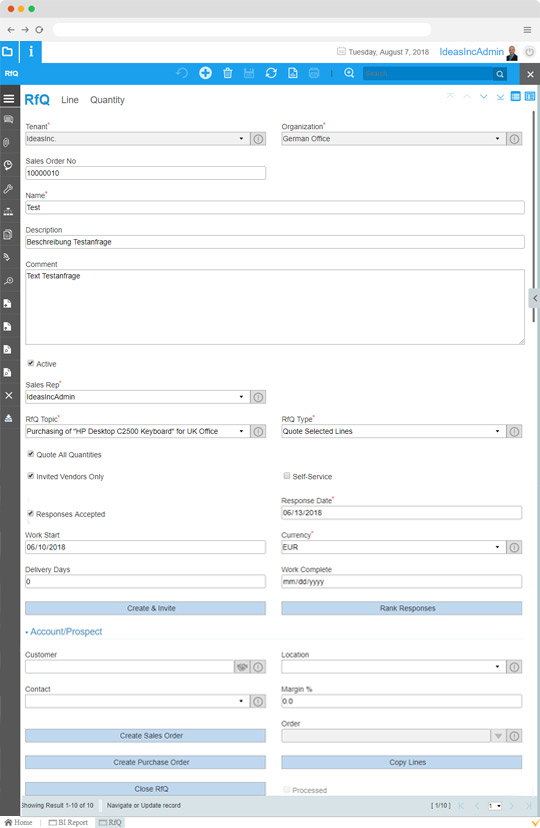

  • Create RFQs and release them from the system
  • Build your own RFQ portal
  • List your suppliers
  • Define your selection process and criteria
  • Record and upload responses
  • Rank responses automatically
  • Award winner and generate purchase orders

Requisitions

VIENNA Advantage enables to create the purchase requests from different warehouses/departments. Purchase request can be approved through multi-level approval process. Request can be converted to purchase order or inventory movement can be created to fulfil the request.


  • Define and choose requisition type (movement requisition, purchase requisition, etc.)
  • Assign requisition to specific employee or department
  • Define and choose a requisition's price list
  • Generate purchase orders directly from requisitions, or generate purchase order from sales order
  • Generate requisition lines and link to PO whenever a requisition results in purchase order
  • Track ordered details (like quantity, delivery time, etc.) from purchase order linked to a requisition
  • Define priority of the requisition (urgent, high, medium, low, minor)
  • Choose Inco term

Purchase Order

Generate purchase order from multiple sources: manually, trough replenishment, from requisition or from sales order.
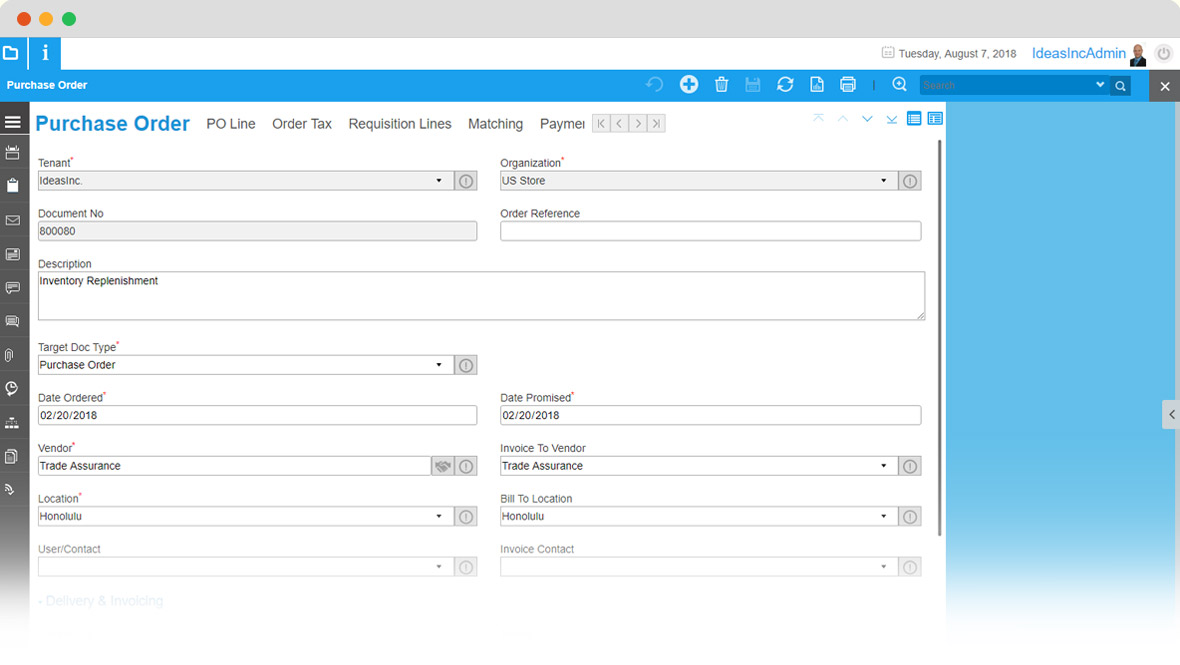


  • Set target document type such as purchase order or release purchase order
  • Choose vendor/supplier and select to who to invoice the PO
  • Choose location and bill to location
  • Select between drop-shipment or regular PO
  • Choose payment method, currency, payment term, Inco term etc.
  • Set PO reference to project, campaign, or opportunity
  • Record any number of PO lines and see reference to requisition lines
  • Match PO to invoices, shipments or receipts

Product Costing

Our Purchase Management Module comes with inbuilt costing engine, offering calculation of actual costs, automatically and simultaneously calculated by several costing methods.
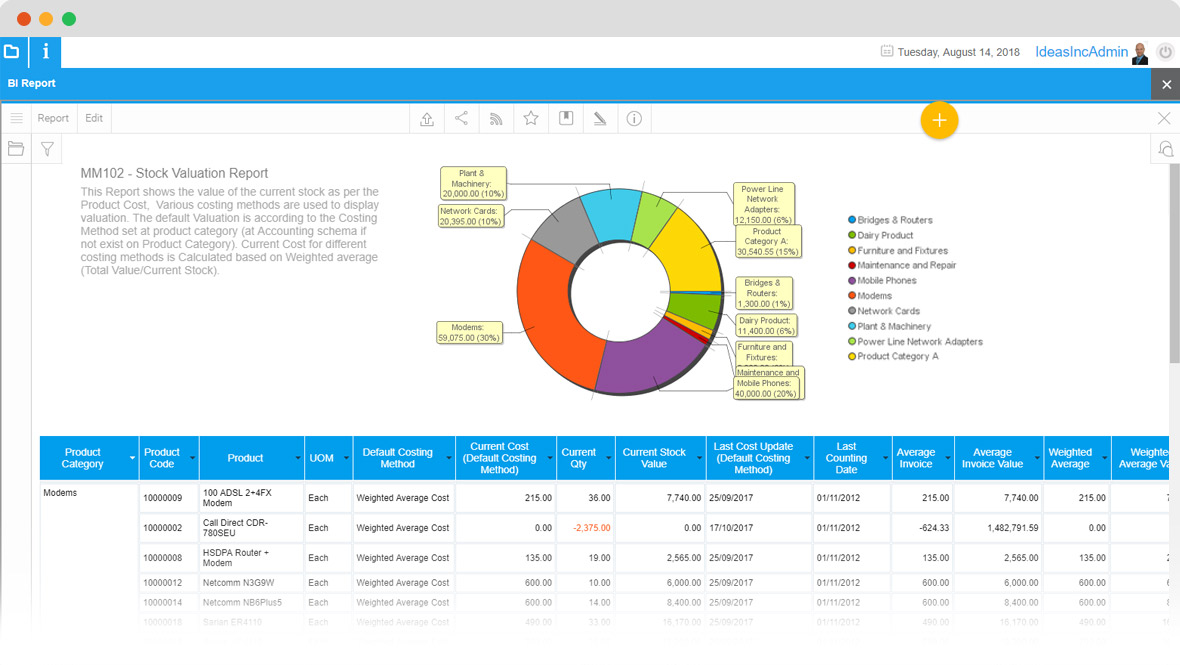

  • Define and set cost type
  • Define and set cost elements
  • Define and set cost details
  • Define and set cost queue
  • Landed cost calculation ( material overhead, resources, overhead, outside processing and more)
  • Work center costs
  • Cost rollup
  • Capture various aspects of costing
  • Actual costing using: standard costing, average invoice, last invoice, average purchase order (PO), last purchase order (PO), FIFO, LIFO and more, as required
  • Product cost report
  • Product cost detail report
  • Product cost summary report
  • Capture landed costs
  • Capture total costs including overheads and outside processing


Procurement Reports

Perform detailed analysis and track purchase behaviors through standard and custom procurement reports.


  • Purchase Order by Supplier Report
  • Supplier Pricelist Report
  • Purchase Analysis
  • Purchase Journal Details Report
  • Open Purchase Order Report
  • Standard Cost Analysis Report
  • Purchase Register Report
  • Expected Material Receipt Report
  • Aged Purchase Order Report
  • Goods Receipt Detail Report
  • Purchase Order Status Report
  • Vendor Return Report
  • Vendor RMA Report
  • Aged Payable Analysis - Bucket Based
  • Choose from hundreds of ready-made procurement reports, or create your own custom purchase report, based on your specific business needs

Why wait any longer?

Grow your business with an integrated ERP and CRM solution. Register today and get 30 days FREE trial including support.


START NOW or Request free TCO analysis